— For yoga, Pilates and fitness studios
Studio software with your website built in
Publish your class schedule, sell class passes, take bookings and track attendance in one place. Your website, your booking page and your member list share the same data, and you can run all of it from your phone.
Weekly class schedule
Class passes and points
Attendance and QR check-in
Instructor payout reports
Group classes and private sessions side by side
Scheduled classes
Set each class’s time, instructor and capacity. Students book a spot from the timetable, and the class closes automatically when it’s full.
Private sessions
Open weekly hours for one-to-one sessions and let clients pick a time that suits them. Both kinds of booking run on the same site.
Copy a week forward
Build one week of classes and copy it to the following weeks in one step instead of re-entering the timetable.
Booking rules
Set a cancellation deadline and a buffer after each session. Students can’t cancel late on their own, which cuts down on empty spots.
Class passes that deduct themselves
Class passes and point cards
Sell a 10-class pass for one class type, or a point card that works across classes, with each class costing a different number of points.
Automatic deduction and refunds
A class is deducted when the student books and returned if they cancel before your deadline. The pass that expires soonest is always used first.
Flexible expiry
Passes can start counting from purchase, from first use or from a fixed date, and you can pause them when the studio closes for a holiday.
Paid online or at the desk
Students can pay by card through your own Stripe account, or you can record cash and transfers yourself and activate the pass by hand.
Attendance, payouts and member history
QR check-in
Put one QR code at the front desk. Students scan it with their phone and are checked in to the class that is about to start.
Class register
Open any class to see who booked, mark who came and who didn’t, and keep the numbers for later.
Instructor payouts
Pay each instructor per class, per head or as a share of revenue. The report adds it up from the classes they actually taught and exports to CSV.
Member records
Every student has a history of bookings, passes and attendance, with your own notes and tags. Students see their own bookings and remaining classes when they sign in.
A studio that runs on AHHA
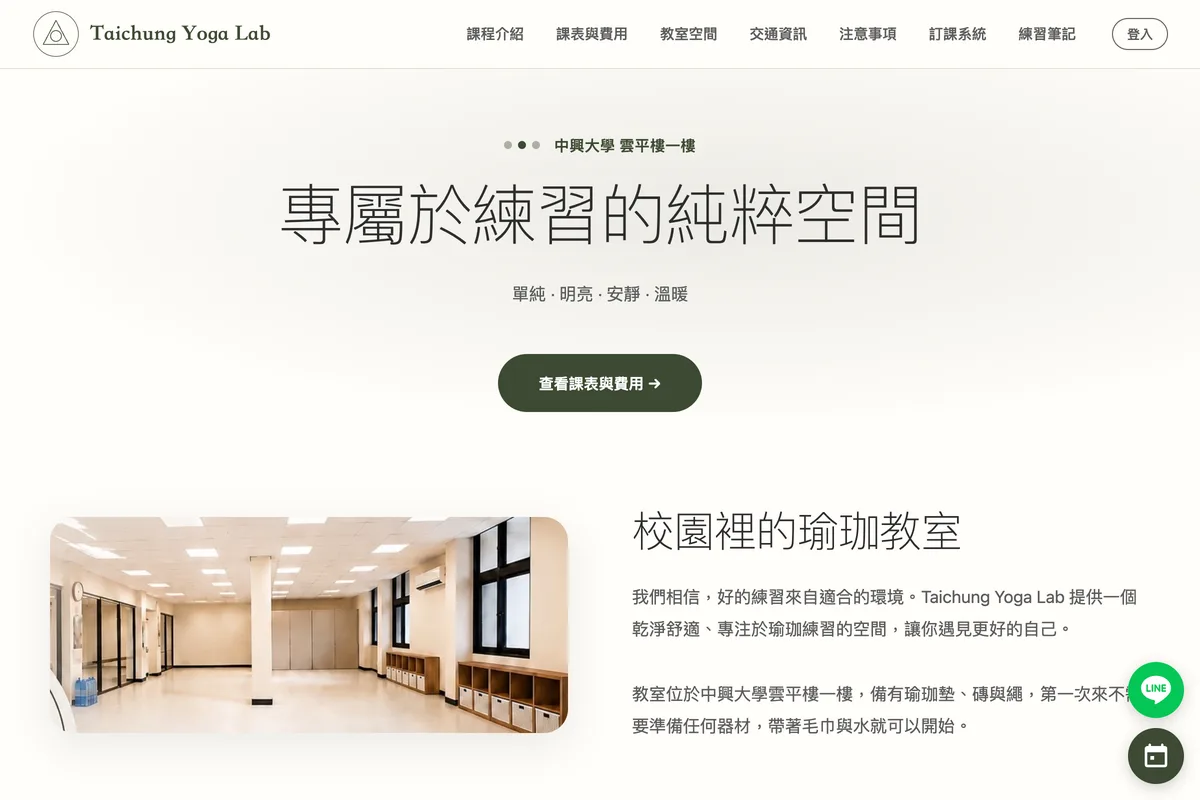
Taichung Yoga Lab moved its timetable, passes and bookings onto AHHA. It is the studio we build the studio features with.
Why the website and the booking system should be the same thing
Most studios end up with a website from one company, a booking tool from another and a spreadsheet for passes. Every new class has to be entered twice, and the website is out of date the week the timetable changes.
On AHHA the timetable is the website content. Add a class and it appears on your schedule page, in your booking widget and in the structured data search engines read, all at once. When someone searches for a yoga class near you, Google and AI assistants see the same up-to-date schedule your students do.
Every studio feature is in both plans
No fees per booking or per member. Scheduling, passes, attendance and payouts are all included in Studio.
Studio
US$249.99 / year
Everything a studio, salon or local business needs to take bookings and get found.
Pro
US$399.99 / year
Everything in Studio, plus AI tools and features for growing businesses.
Questions studios ask
Q.Can I use the booking system without building a website?
Yes. Create your classes and you get a booking page you can link from Instagram or your Google Business Profile. The website is included, and you can set it up later from the classes you have already created.
Q.Do my students need to download an app?
No. Students book on your website in the browser and sign in with Google. The AHHA app is for you and your team.
Q.Can students pay online?
Yes. Connect your own Stripe account and students pay by card when they buy a class pass or point card. The money goes to your Stripe account; AHHA doesn’t take a share. Drop-in payments at the desk can be recorded by hand.
Q.How do I set it up with several instructors?
Add each instructor with a photo, bio and color, assign them when you schedule a class, and choose how they are paid. Students see who is teaching each class.
Q.I already use another booking tool. Can I switch?
Yes. Build one week of your timetable, copy it forward, and set up your passes. Students create their account the first time they book, so you can run both systems for a week or two and then move over.